Solutions
Food Label Printer for Restaurants & Cafés Compliant labels for every service
From grab-and-go sandwiches to display-case desserts: print compliant allergen labels in seconds. Works offline, no tablet needed.
Solutions
From grab-and-go sandwiches to display-case desserts: print compliant allergen labels in seconds. Works offline, no tablet needed.
How It Works in Practice
Restaurants and cafés are under increasing pressure to label pre-packed food accurately. Since Natasha's Law came into force in October 2021, any food prepared on-site and packaged before a customer orders it (sandwiches, wraps, salads, meal deals) must carry a full allergen label. Getting this wrong isn't just a compliance risk; it puts customers with allergies in real danger.
For most kitchens, labelling is still a manual process. Staff write labels by hand, look up allergens from printed lists, and hope they don't miss one. During a busy service, this is slow, inconsistent, and prone to error. One missed allergen on one label can lead to a customer reaction, an EHO investigation, and damage to your reputation.
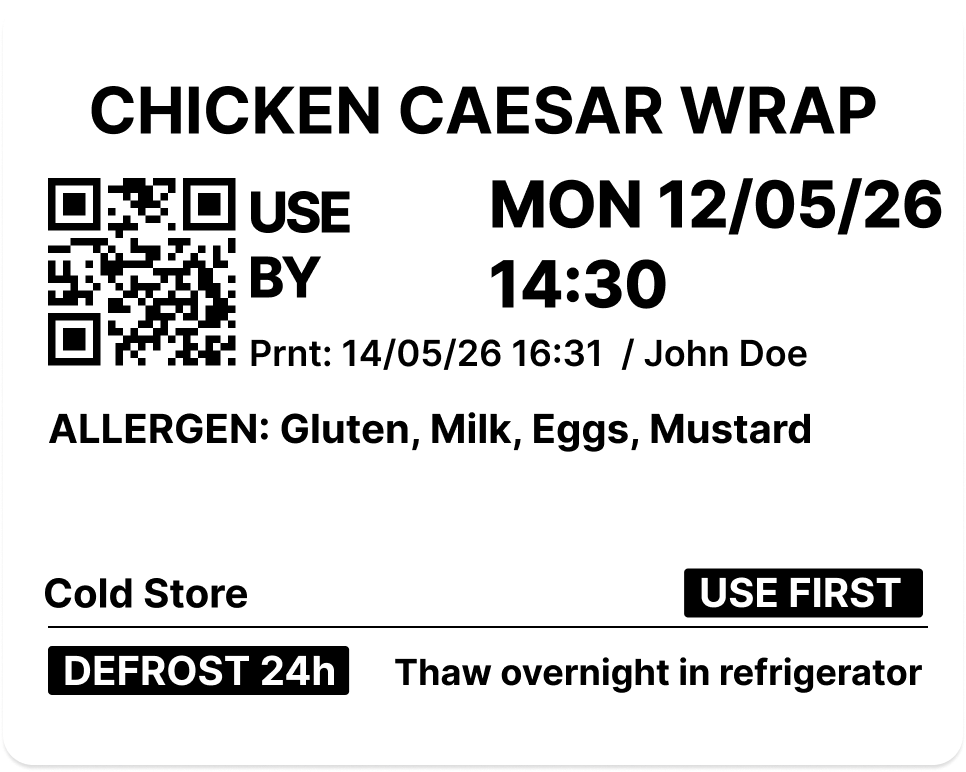
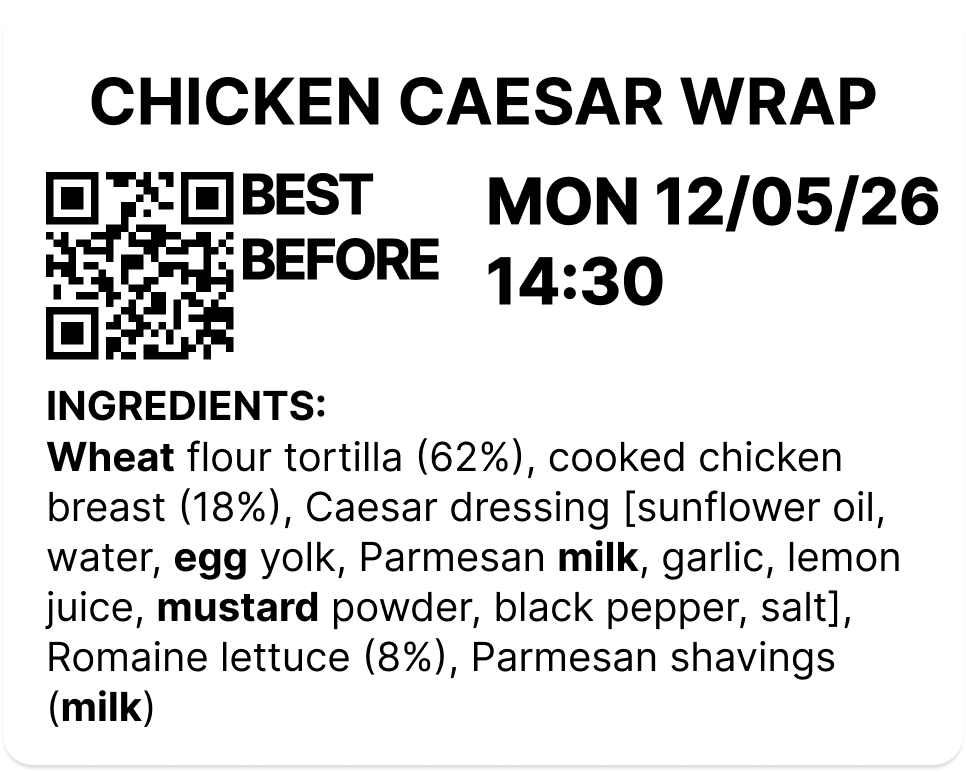
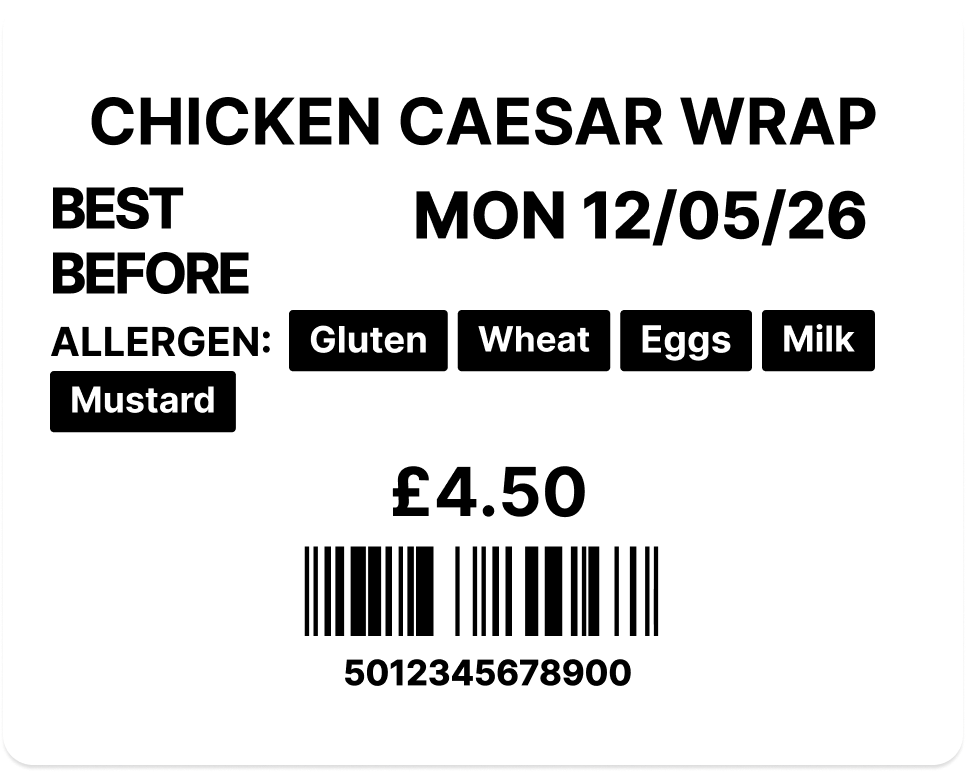
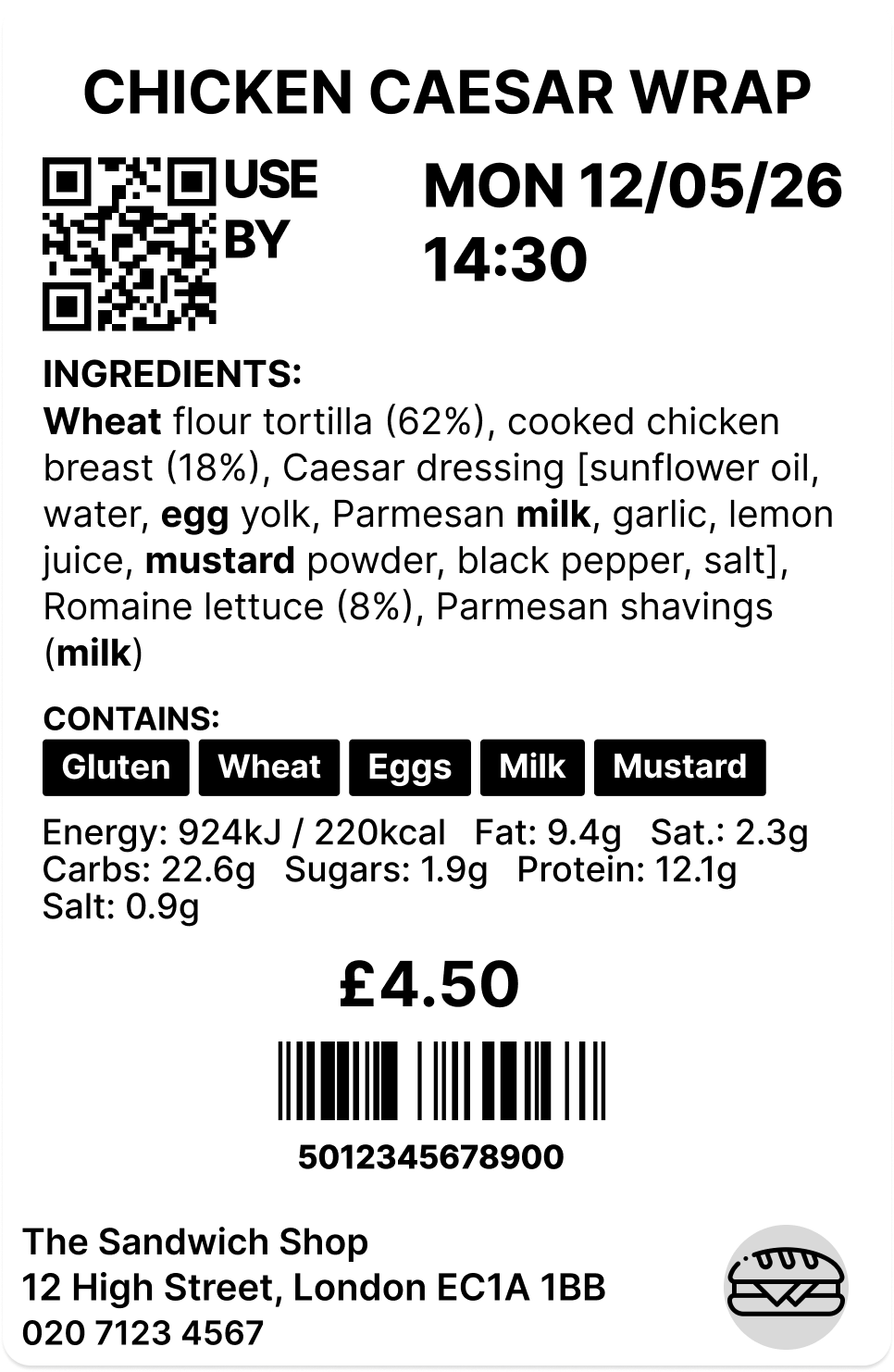
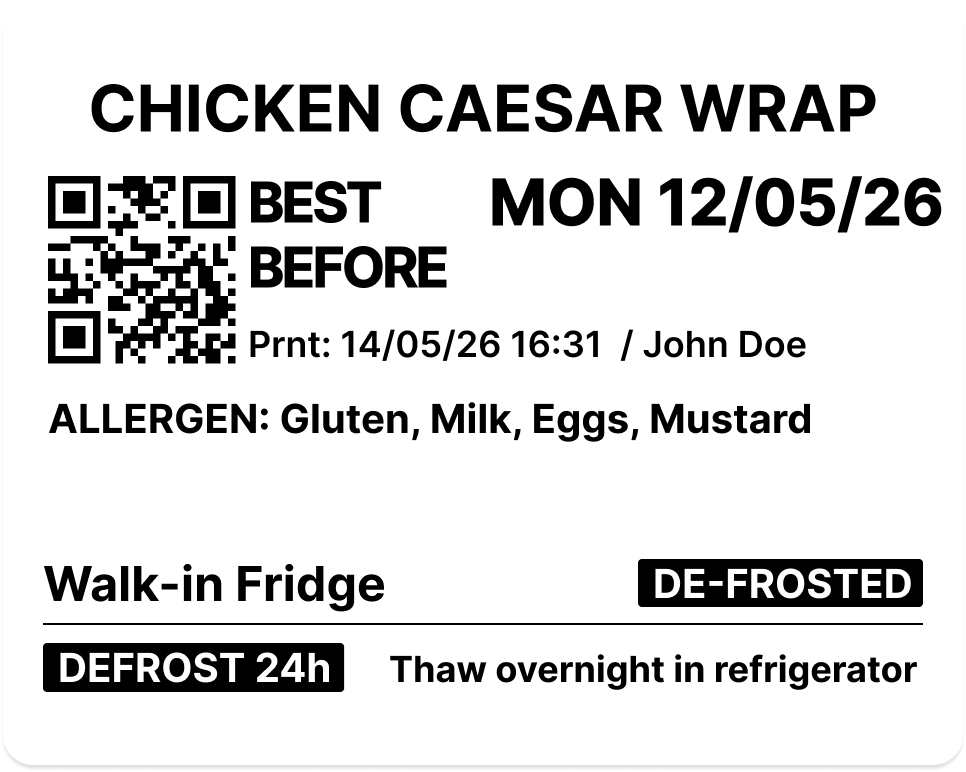
LabelFood changes this entirely. Your product catalogue lives in the cloud; each product has its own allergen profile set up once by a manager. When kitchen staff need to print a label, they scan the product barcode on the device. The label prints automatically with the product name, all 14 allergens highlighted in bold, the use-by date, a batch code, and a QR code. No handwriting, no memorising, no mistakes.
For grab-and-go fridges, one of the highest-risk areas for restaurants and cafés, batch print handles the volume. Your morning team selects the products being prepped, sets quantities, and the device prints all labels in sequence. Dozens of sandwiches, wraps, and salad pots labelled and compliant before the first customer walks through the door.
Display cabinets and counter service benefit too. Cakes, pastries, and desserts in the fridge get professional labels that customers can read at a glance. The QR code gives anyone with a smartphone instant access to full ingredient and allergen details, with no more staff answering the same questions repeatedly during a busy lunch rush.
Waste tracking is built in. When items expire, get damaged, or aren't sold, staff record it on the device with a reason. This data syncs to the cloud dashboard where managers can see what's being wasted, why, and how to reduce it. Over time, this translates into better stock planning, lower food costs, and a more efficient kitchen.
The device works fully offline. No WiFi or 4G needed to print labels or record waste. This matters in restaurant kitchens where connectivity is often unreliable. When the connection comes back, everything syncs automatically to the cloud dashboard.
Staff PIN protection adds accountability. Each team member has their own PIN, so you know who printed what and who recorded which waste event. Inactivity lock prevents unauthorised use between services. The full audit trail (every print, every scan, every waste record) is available for EHO inspections at any time.
Your Food Hygiene Rating depends on more than a clean kitchen. One of the three areas an Environmental Health Officer scores is confidence in management: whether you can show the systems and records behind your food safety, not just describe them. Date labelling, allergen control, and waste records all sit in that category. LabelFood keeps every one of them logged and exportable, so when the EHO asks how you manage allergens, the answer is a report rather than a conversation.
One terminal replaces the tablet, the scanner and the handwritten labels. Pick the product from your list or scan its barcode — either way a compliant allergen label prints and the record keeps itself, before the lunch rush starts.
A label costs under 1p. Handwriting it costs hours every week.
£325 a year, or £32/month rolling

PPDS stands for prepacked for direct sale. It includes food prepared and packaged on the same premises before a customer selects or orders it, such as sandwiches, wraps, salads, cakes and meal deals. Under Natasha’s Law, PPDS food must display the name of the food and a complete ingredients list, with allergens clearly emphasised.
Scan a barcode and print a compliant allergen label: product name, all 14 allergens highlighted, use-by date, batch code, and QR code. Natasha's Law compliant by default.
Replace scribbled labels with consistent, professional prints. Staff don't need to remember allergens; the system does it for them. Faster service, fewer mistakes.
The device works fully offline. No WiFi, no problem: labels print and waste is recorded even when the connection drops. Syncs when connectivity returns.
Record waste by reason: expired, damaged, over-prep. See what's being wasted and why across your restaurant or café. Helps reduce food cost and improves stock planning.
Customers scan the QR code to see full allergen and ingredient information on their phone. Builds trust and meets transparency expectations.
Each staff member has their own PIN, so every label and waste record is attributed and timestamped. Export the last 90 days as a PDF whenever an inspector asks.
Official Label Rolls
Most kitchens try third-party rolls first. They jam, they tear on removal, and they don't hold in cold storage.
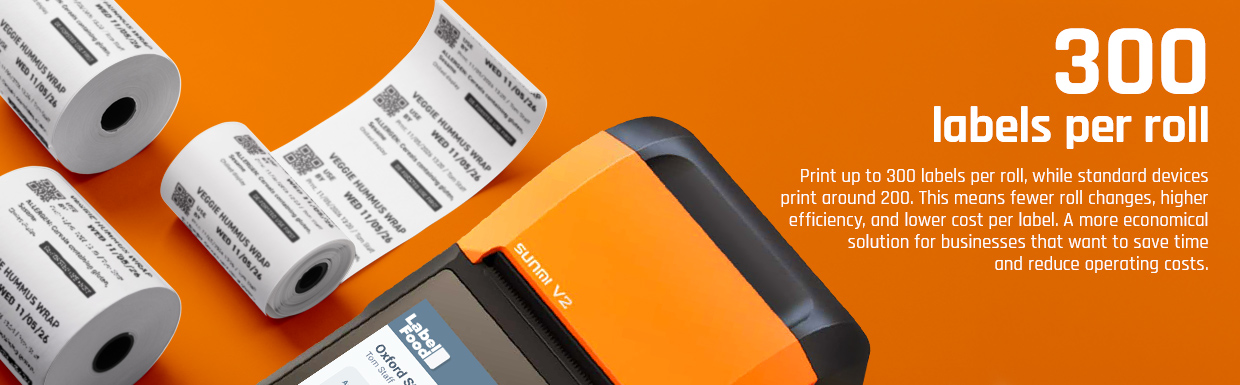
Our rolls are made specifically for the LabelFood Printer SV2 — tested in real kitchen conditions, with a removable adhesive that stays put in the freezer and peels cleanly every time. At 0.87p per label, they also cost significantly less than ordering custom labels from a supplier. See how the cost compares →
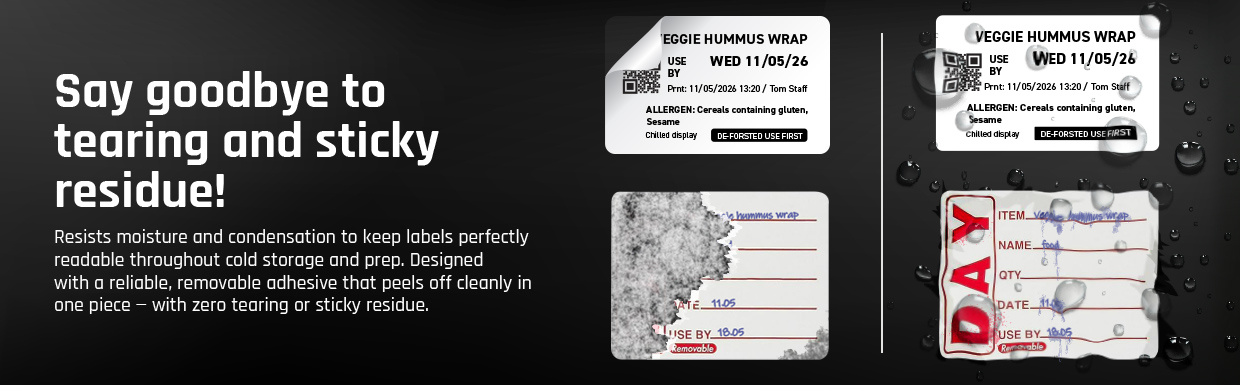
Print stays sharp in cold displays, fridges, and hot prep surfaces. No fading or smearing mid-service.
Made to fit the LabelFood printer exactly. No jams, no mis-feeds, no wasted labels.
How our rolls compare
Delivered to your kitchen
Order from your dashboard or device
Invoice included
Emailed automatically after each order
£2.60 per roll · 300 labels
0.87p per label
Now Available on iOS & Android
The LabelFood mobile app gives every team member their own terminal. The one device in the kitchen is no longer the only place work can happen.


FAQ
Restaurants and cafés must provide accurate food information, including allergen details. Food that is prepared and packaged on the same premises before a customer selects or orders it may be classified as prepacked for direct sale, also known as PPDS food. Under Natasha’s Law, PPDS food must display the name of the food and a full ingredients list, with allergens clearly emphasised.
Yes. LabelFood helps restaurants and cafés create consistent food labels containing the product name, ingredients, highlighted allergens, use-by information, batch details and a QR code. Ingredient and allergen information must still be entered and maintained accurately by the food business.
Yes. The LabelFood device can print food and allergen labels while offline. Staff can continue printing labels and recording food waste even when the kitchen has no Wi-Fi or mobile connection. Data is synchronised with the cloud dashboard when the internet connection becomes available again.
No. Kitchen staff can print labels directly from the LabelFood device without using a separate tablet or computer. Products can be selected or scanned on the device, allowing labels to be printed quickly during food preparation and service.
Yes. LabelFood can display and emphasise the 14 allergens recognised under UK food information regulations. Each product’s ingredients and allergen profile is configured in the system so that staff do not need to identify or remember allergens manually each time a label is printed.
Yes. The batch-printing feature allows restaurants and cafés to select several products, enter the required quantities and print multiple labels in sequence. This is particularly useful for sandwiches, wraps, salads, cakes and other grab-and-go products prepared before service.
Labels can include the product name, ingredients, highlighted allergens, use-by or preparation information, batch codes and a QR code. The exact label content can be configured according to the product and the restaurant’s operational requirements.
Customers can scan the QR code to view additional product information, including ingredient and allergen details, on their phone. This provides customers with easier access to food information and can reduce the number of allergen-related questions staff need to answer during busy service periods.
Yes. Staff can record wasted products and select reasons such as expiry, damage or over-preparation. Managers can review this information through the cloud dashboard to identify waste patterns, improve production planning and reduce unnecessary food costs.
Yes. Individual staff PINs create an audit trail showing which team member printed a label or recorded a waste event. Managers can use this information for accountability, internal checks and food safety inspections.
Contact
Have a question or need assistance? Fill out the form and our friendly team will get back to you within 24-48 hours.
Prefer to talk it through? Pick a slot and we'll show you the device and answer your questions on a short video call. No sales pitch.
No setup fees, no obligation. Just a question; we'll answer it.
Our team knows food labelling inside out. Not a chatbot: real humans.
Want to try first? We'll set up your 14-day free trial, device included.