How It Works

Up and Running in Minutes

No technical knowledge required. Unbox the device, connect to WiFi, and start printing compliant allergen labels right away.

How it works

Up and running in minutes

No technical knowledge required. The device arrives ready to use; you set it up once and your kitchen labels itself.

1

Pair your device

Unbox the device, connect to your kitchen WiFi, and pair it with your LabelFood account in seconds.

One device pairs to one branch. Scales from 1 device to 100+ across multiple locations, all managed from a single dashboard.

2

Add your products

Build your catalogue the way that suits you: one product at a time, several row by row, an Excel import, or let AI read your existing menu and draft the list for you.

AI reads photos and PDFs of your menu, or a single product label, and fills the fields in — you review everything before it saves. Allergens are set per product. Natasha's Law compliant from day one.

3

Monitor from anywhere

Track label prints, waste records, and staff activity from the cloud dashboard, on any device, from anywhere.

Real-time expiry alerts per product (name + HH:mm). Scales to 100+ locations. Full activity log exported for EHO inspections.

4

Print a compliant label

Pick quantity, set expiry, and print. Allergens are bolded automatically. Label is ready in seconds.

1

Pick quantity

One label or a full batch in a single job.

2

Set expiry date

Pre-filled from the product shelf life; adjust if needed.

3

Print label

Allergens in bold, QR code on every label.

5

Scan a barcode

Kitchen staff open the app, scan a product barcode. The system instantly pulls up your pre-configured product label.

Batch scan mode: scan multiple barcodes in quick succession, then record waste for all at once.

6

Record waste

Finished a product? Scan and record the waste with a reason and optional photo. Batch scan available for end-of-service.

Waste data syncs to the cloud; see exactly where food is being wasted and why. Full audit trail: every action timestamped.

Or see pricing plans , 14 days free, device included.

Start free for 14 days

Your kitchen could be printing this week

Set the product list up once and the bench work is three taps: pick it, print it, stick it on. New starters pick it up in a shift, because there is nothing to remember and nothing to write.

A label costs under 1p. Handwriting it costs hours every week.

No setup fee
No extra hardware
Cancel anytime
£27 /month 8 weeks free

£325 a year, or £32/month rolling

LabelFood Printer SV2 — the all-in-one food labelling terminal

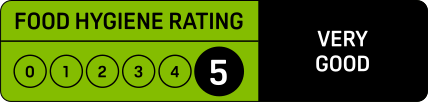
EHO & Food Hygiene Rating

Ready before the inspector walks in

An inspector asks for evidence, not explanations. Your rating is scored on three things, and one of them is simply whether you can prove what your kitchen did.

Hygienic food handling

Preparation, cooling, storage, date labelling and stock rotation.

LabelFood evidences this

Cleanliness of the premises

The building, the equipment and the layout. Down to you alone.

Not something software can fix

Management of food safety

Your systems, checks and written records. Where most points are lost.

LabelFood evidences this

What the inspector asks — and what you already have

When was this prepared, and when does it expire?

Printed on the label and kept in your dashboard. Expiry comes from the product's shelf life, never guessed.

Who labelled this?

Every print is attributed to the staff member signed in on the device at the time.

What did you throw away, and why?

Waste records carry a reason, optional notes and a photo, broken down by cause.

Show me the last three months.

The Compliance Pack covers 7, 30 or 90 days and exports as one branded PDF.

Nothing to prepare the night before an inspection. The records build themselves.

See what an inspection asks for

UK Food Law

Understand Natasha's Law in 3 minutes

If you prepare and package food before selling it, you need to label it. Here's what that means for your business and how LabelFood handles it.

What is PPDS?

Pre-Packaged for Direct Sale. Any food you prepare on-site and wrap/pack before a customer orders it: sandwiches, salads, baked goods, meal deals.

What does Natasha's Law require?

All 14 allergens must be clearly listed and highlighted on every PPDS label. Even trace amounts must be declared.

How LabelFood helps

When you set allergens on a product, they print in bold automatically. You can't accidentally print a label without allergen information.

The 14 UK Allergens — all must be on every PPDS label

Highlighted in bold on every LabelFood print-out

Celery
Cereals containing gluten
Crustaceans
Eggs
Fish
Lupin
Milk
Molluscs
Mustard
Nuts
Peanuts
Sesame
Soybeans
Sulphur dioxide

LabelFood won\'t let you print a label without setting allergens. All allergens are bolded automatically.

Multi-location

Run one branch or your whole chain

LabelFood scales with your business, from a single kitchen to 100+ locations. Start with one branch, add more as you grow. All managed from a single cloud dashboard. Enterprise-ready.

One organisation, multiple branches

Your organisation holds all your products and settings. Add 1 branch or 100+, each with its own products, devices, staff, and waste reasons. Full audit trail: every action logged and synced.

Multiple devices per branch

Each branch can have multiple LabelFood devices. Kitchen staff print from any device paired to their branch. You control everything from the cloud.

Staff access per branch

Add owners, managers, and floor staff to each branch. Staff see and print only from their branch. You see everything.

Products shared or customised

Share your product catalogue across all branches, or tailor it per location. Either way, allergens and expiry settings follow the product.

Contact

Get in Touch

Have a question or need assistance? Fill out the form and our friendly team will get back to you within 24-48 hours.

We reply within 24 hours
Book a demo

No commitment

No setup fees, no obligation. Just a question; we'll answer it.

Talk to a real person

Our team knows food labelling inside out. Not a chatbot: real humans.

Free trial included

Want to try first? We'll set up your 14-day free trial, device included.